

10 things a PM can do in Cursor (that aren't coding)
Create the PM workspace inside the codebase to set the right context for AI agent work

Before I start:
Thanks so much for your sub! I reached 100 subs only after the first post!
Linkedin is flooded with AI buzzwords but the reality is, most of us have 9-5 jobs without fancy AI-agents-like stuff. It takes time to learn new technical skills and you may be busy because of work, looking after children or other hobbies. That’s why my newsletter is not about hype. It is a beginner-friendly guide to become an ai-native PM step by step.
I wanna build a community of PMs who support each other. You can virtually-get-to-know me here. I’d like to know a bit more about you so please just comment ‘Hey my name is …, X years exp, I’m here to learn about …’ (I’ll try to cover these topics in next posts).
Thanks! Let’s get started!
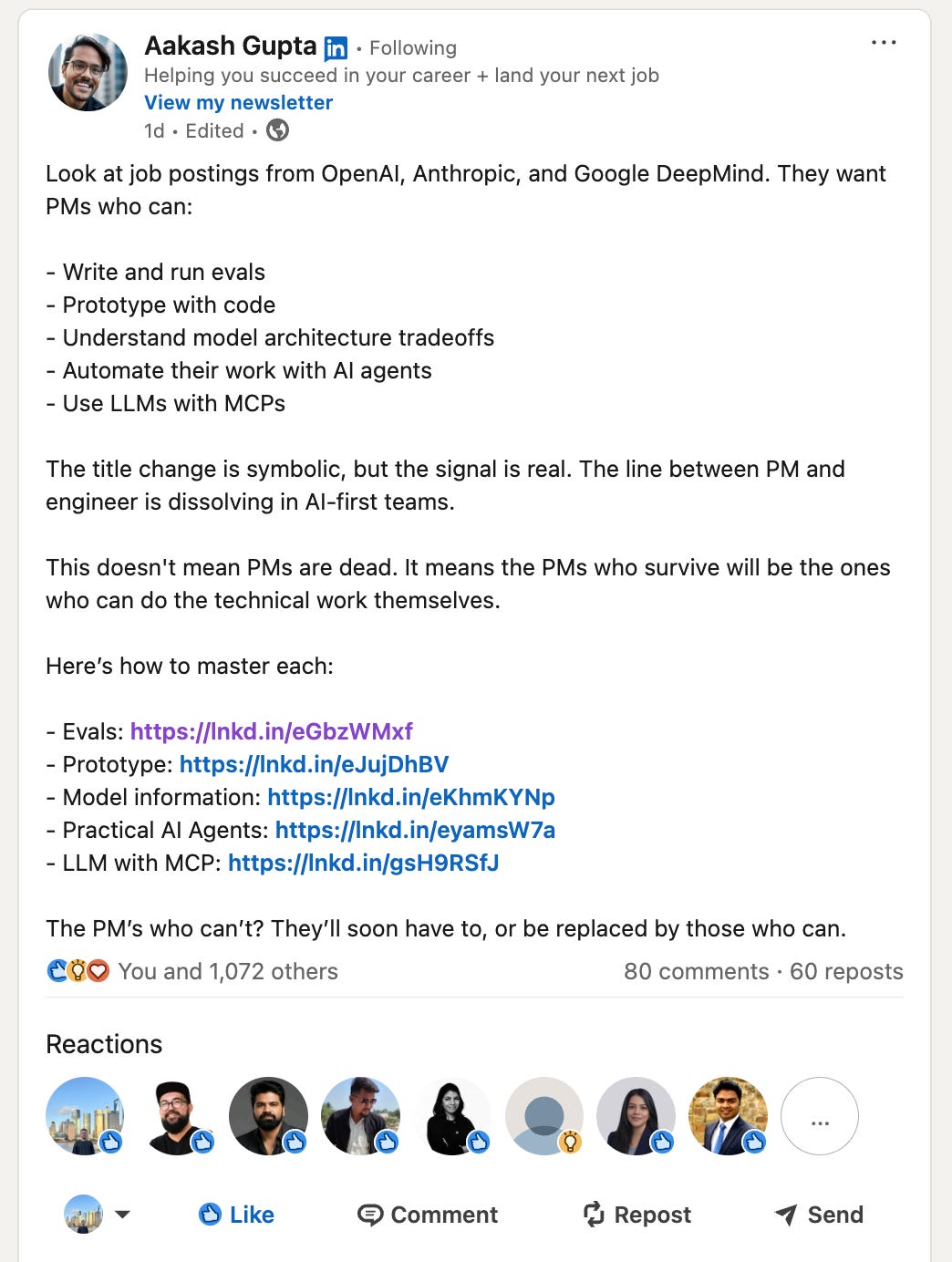
If you’ve been in PM space for a while, you probably know Aakash Gupta. He recently shared that the most attractive companies like OpenAI, Anthropic and Google DeepMind all want to hire AI-native PMs who can interact with code.
The bar is rising high but you can learn it in a couple of months. Subscribe to stay on track:
In the previous post, we’ve set up Cursor and asked the first question to the codebase. The answer was high-level, and quite generic. AGENTS.md with custom instructions helped a bit - the agent worked but still did not understand your product.
If the agent does not have context about your project, you’re just using fancy ChatGPT in code editor.
This is why today we will do a bit of real PM work - I’ll show you how to create context for the agent and get some actual PM tasks done with AI.
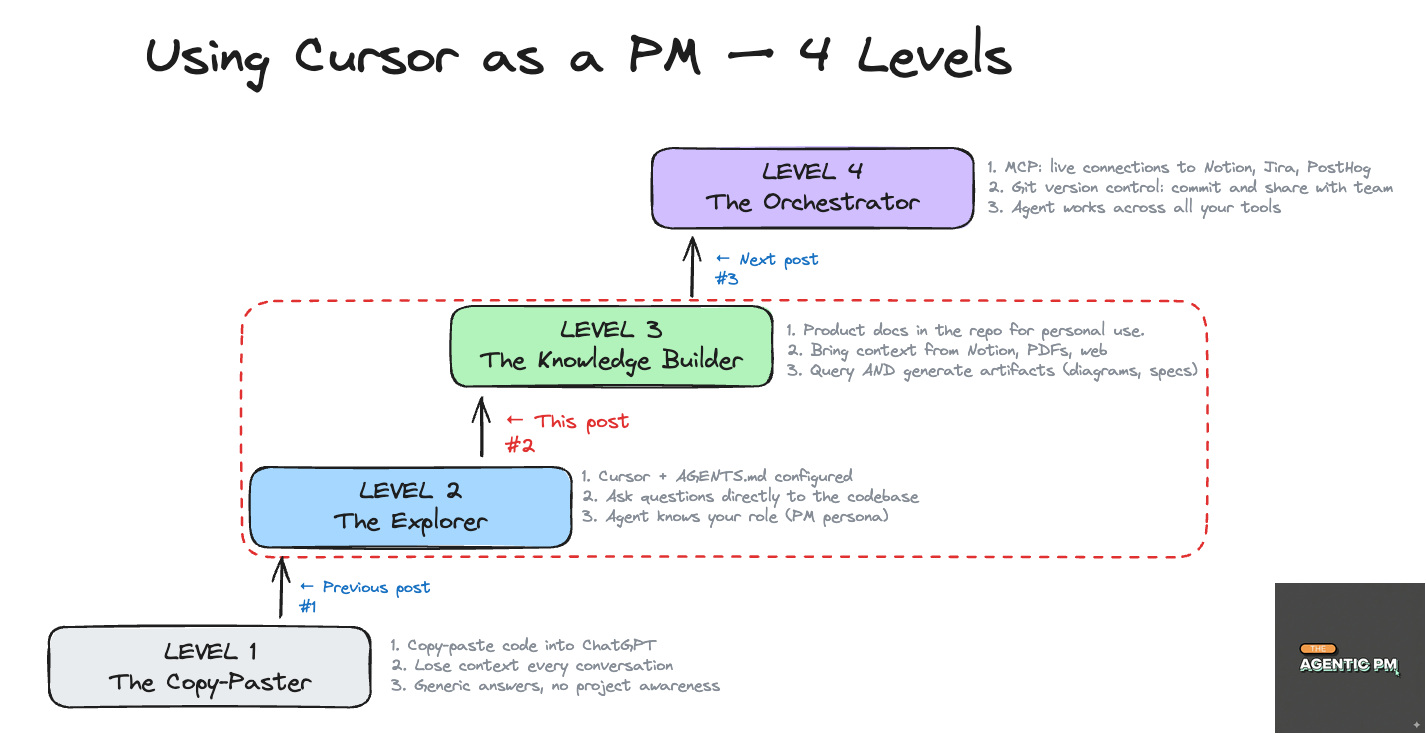
1. Set up the context for the agent
To work efficiently, your agent needs three things:
AGENTS.md with custom instructions.
Technical docs.
Product docs.
Let’s break it down.
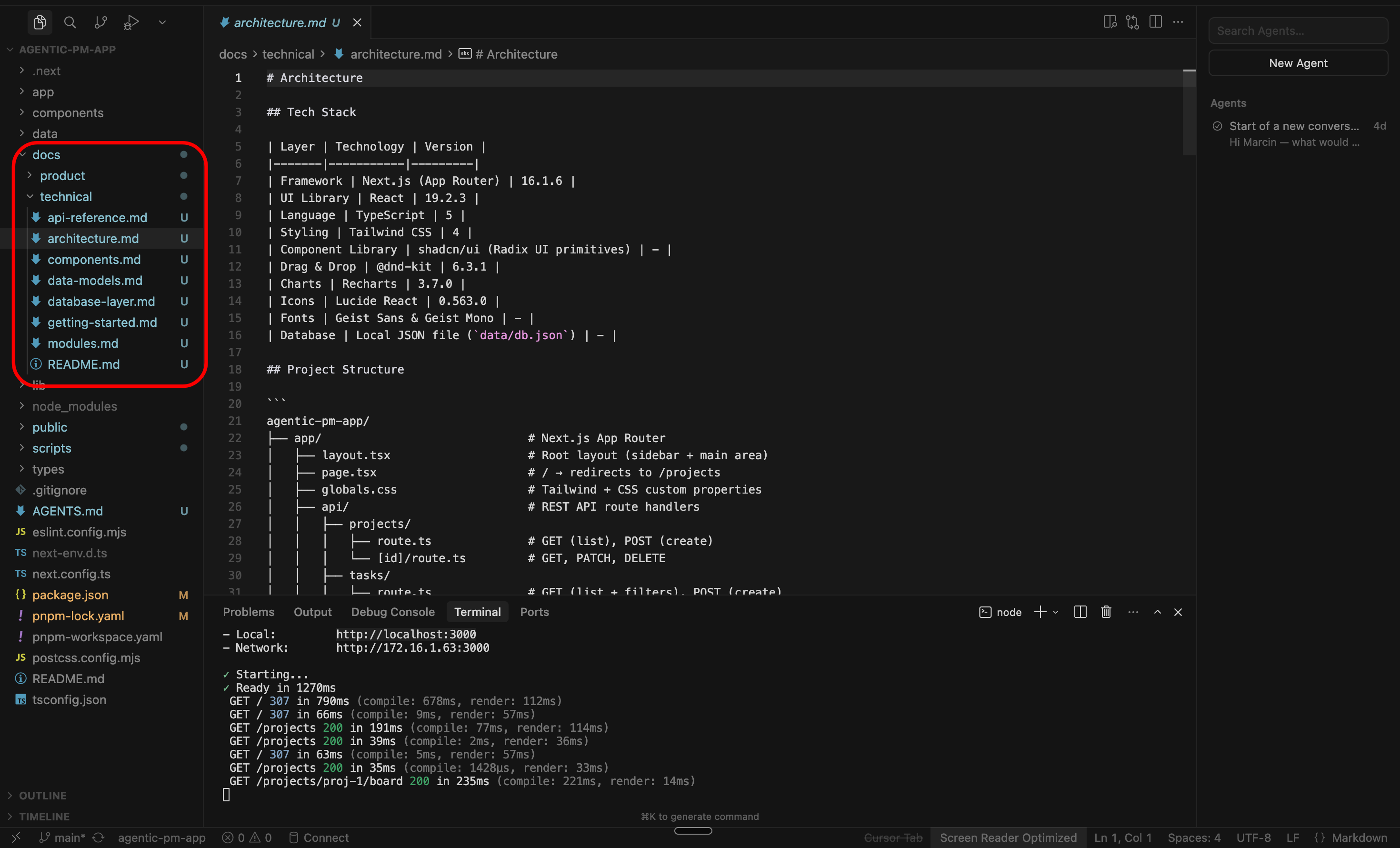
Technical docs
Your dev team (hopefully) maintains technical documentation: README.md files, guides for local development, architecture decisions, API docs etc.
This is not your world (unless you want it to be), and you don’t need to read these docs.
So just ask your devs where the docs are and point them to the agent. In our case, to make things easier, let’s assume they are in /docs folder in the repository.
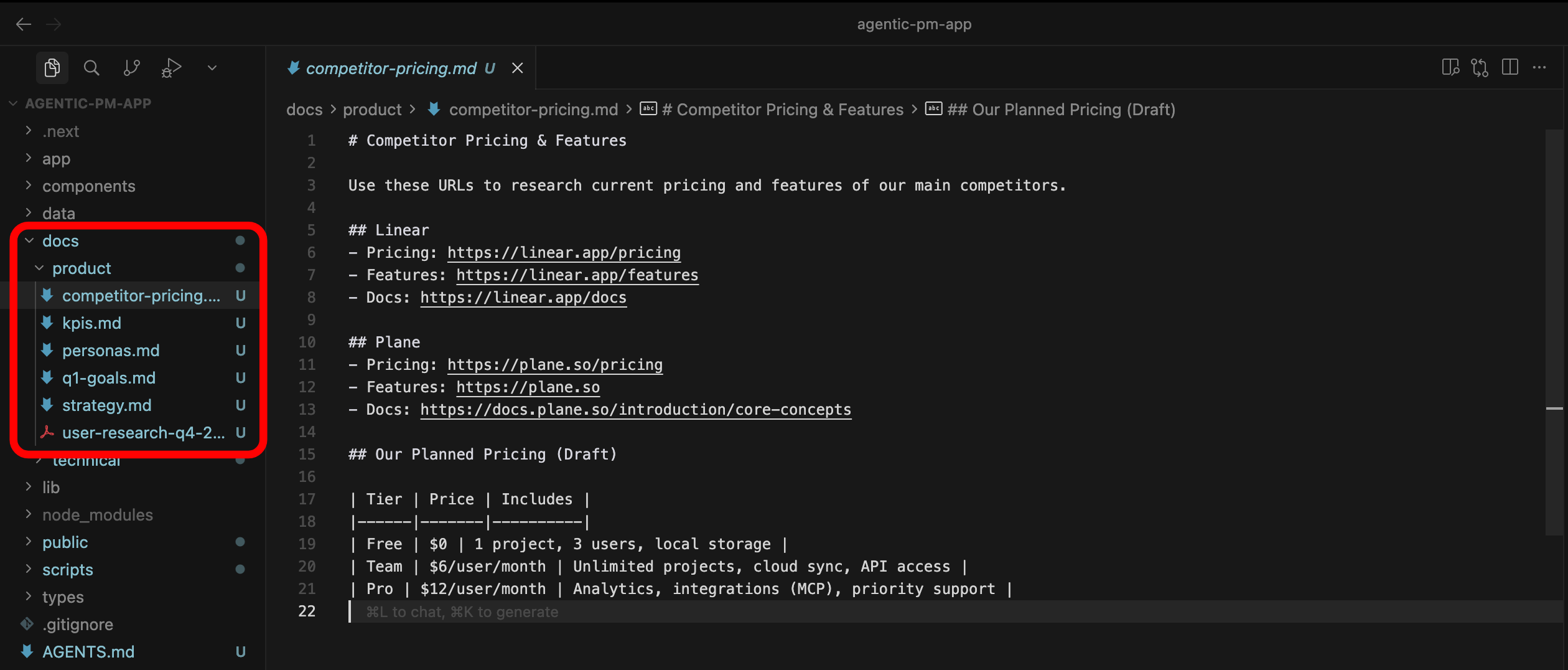
Product docs
This is your space.
In /docs you will create the new folder /docs/product (or any other name you like), where you can add extra context for the agent.
This is where you will store stuff that is not written in code: user persona, KPIs, product strategy decisions, market analysis etc.
How to create new file?
Right click on the folder name. Type file name <name>.md to create the text file with formatting (Markdown).
AGENTS.md → the glue
Since codebase is large, the models have limited tokens of context, we’ll just help them a bit. Let’s extend the AGENTS.md with information for documentation (it’s their shortcut as opposed to searching across whole codebase):
# Agent Rules

## Who I am
I am a non-technical Product Manager.
When I ask questions, explain in plain language.
Focus on user-facing behavior, not implementation details.

## Project documentation
- Technical docs are in `/docs/technical` — use these to understand the codebase architecture, modules, and API structure.
- Product docs are in `/docs/product` — these contain our personas, KPIs, product strategy, and key decisions. Always reference these when answering product questions.

## How to answer
- When I ask about a feature, connect the technical implementation to the product context (who uses it, why it exists, what KPIs it affects).
- When generating artifacts (specs, diagrams, proposals), always ground them in the actual codebase AND the product docs.
- If something in /docs/product contradicts or is missing from the code, flag it.
2. Bring context into product docs
As a PM you have product docs in different places:
Confluence
Notion
Google Drive
PDFs
handwritten notes (anyone still doing that btw?)
You should add these sources to your /docs/product docs by copy-pasting stuff into the markdown files.
As a side note, manual copy-paste is just a simplification for this post. In the next posts I will show you how to pull data from other tools automatically (Jira, Notion etc) with MCP.
In the video below I’m adding the docs about User personas, strategy, product KPIs, Q1 goals and competitor pricing into the repo:
PS. All materials from these step-by-step tutorials are in the Github repo: link. If you feel it’s getting hard, make sure to read the previous article: The 15-minute setup to start using Cursor as a PM.
3. Doing real PM work.
What tasks you will ask the AI Agent to execute and what questions you want them to answer, fully depends on your product. For example:
Data PM will ask about the sequence of data transformations.
AI PM will may focus more on LLM evals
Web app PM will query about the user flows in the app
It also depends on the role:
Product Manager will brainstorm product strategy
Project Manager will focus on analyzing delivery of the feature
etc…
The point is, the product and context may change, but what stays in common is that (1) your agent needs context (your docs) and (2) it can do much more than just answer questions. This is what I wanna show here.
Question - answer flows (in the chat)
A typical workflow will be to ask question and get the answer in the chat, referencing the docs.
Read Docs → Answer:
Read /docs/product/personas.md and /docs/product/kpis.md. Then look at the dashboard module — does our dashboard actually show the metrics that matter to each persona?You have referenced specific documents with @<document name>, so the agent will use them in the reply.
Problem Statement → Brainstorming → Investigation:
We’re seeing high churn after the trial period. Based on the subscription/payment logic in the codebase and our personas, what friction points could be causing this? Suggest 3 improvements.The agents are very good not only at performing specific tasks. You can also ask it to brainstorm a product problem with you (user retention, activation etc) to suggest next dev work.
Roadmap → Tech reality check:
Read /docs/product/q1-goals.md and /docs/technical/architecture.md. For each P0 item, tell me: what already exists in the codebase that supports it, and what’s completely missing?This is useful for delivery-focused PMs. You can also run similar query to check which Jira tickets are outdated.
User flow + friction analysis:
Walk me through the complete flow of the user from task creation to task completion. For each step, identify potential friction points for the ‘Diana — Stakeholder’ persona from /docs/product/personas.md.Again, this is about asking the agent to brainstorm a product challenge with you. You can be surprised with the results you get. It’s like a senior product manager looking at your product and telling you what to improve.
Bug → investigation → story:
A user reports that tasks disappear when dragged quickly between columns. Check the reorder logic, explain what might be happening, and draft a Jira story with description, acceptance criteria, and priority recommendation.”Bug-related workflows can be also nicely integrated outside of the codebase: report bug on slack (or detect via sentry logs) → agent creates a jira ticket → agent analyzes the codebase → agent creates a PR with the draft solution of the problem.
Let’s see one example on a video:
Asking agent to generate something
The examples above were quite useful, but we can go a step further and ask the agent to product real artifacts (files etc). Let’s see what outputs we can ask the agent to have:
Mermaid diagram:
You will need to download a mermaid extension first (I’m explaining in the video):
Based on the codebase, generate a mermaid diagram showing the complete task lifecycle — from creation through all status changes to completion. Include the API endpoints involved at each step.Markdown table + web search:
Create a pricing comparison matrix: our app vs Linear and Plane vs Jira (use /docs/product/competitor-pricing.md for context). Output as a markdown table.Read external document:
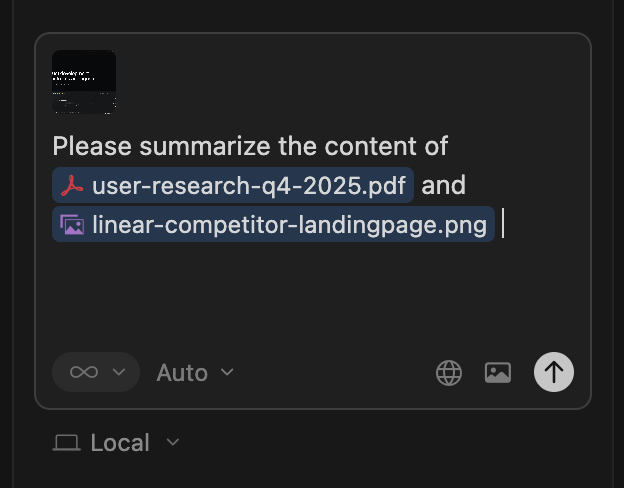
You can attach any document (not only text, for example pdf, images).
I’ve added a PDF with our latest user research findings to /docs/product/. Read it, extract the top 5 pain points, and cross-reference each with our current codebase — do we address it, partially address it, or not at all?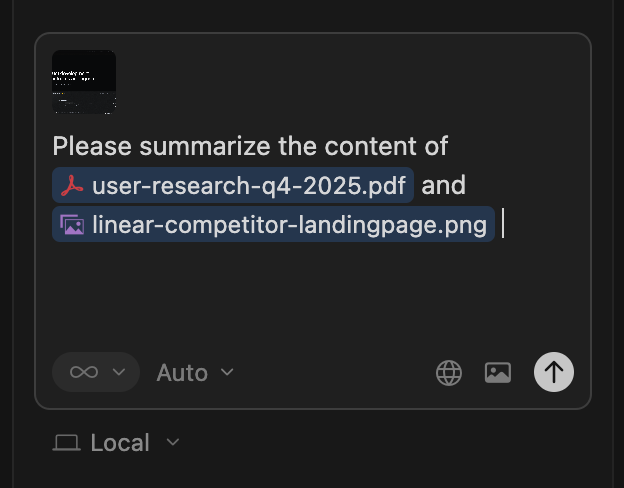
Step-by-step document plan:
Let’s assume you need to create a large document (for example a 50-pages user guide, or an onboarding manual). In this case a one-shot prompt will not work. You should create a markdown document with the plan.
I need to write a user manual (about 20 pages) for corporate users. Based on /docs/product/q1-goals.md and the current codebase, create a document with an outline of which sections I should cover.

After we agree on the implementation plan, I will ask you to iteratively implement and review each section. → agent creates a markdown file with the structure.
Then, you ask LLM to implement phase 1, then review and edit phase 1, implement phase 2, review and edit phase 2 etc.
Step 2:
Now fill in section 1 — Problem Statement. Reference the personas and current notification gaps.
[agent writes one section at a time.]

Step 3:
[review, give feedback, ask the agent to revise or continue to the next section.]
Recurring document:
Let’s assume you need a regular document to share with the project stakeholders. You can ask the agent to create a template:
I need to send a weekly project update every Monday. Create a new folder /docs/product/products-updates for this documentation. Include there a template with sections: what shipped last week, what's in progress, blockers, and upcoming priorities. Then fill it in based on /docs/product/q1-goals.md and the current state of the codebase. I'll run this prompt every week. Add the filled document into this folder with a name in the file name.and then every week update it based on the project status:
Please see the template in /docs/product/products-updates and the report from last week. Please generate a new report considering the changes in the project.
Wrapping up
I showed above what is possible in terms of generating the outputs and how to provide correct context to the agent to generate more accurate answers.
The actual questions will be different depending on your product, but the patterns transfer to any product or project.
4. But I don’t want to copy-paste forever…
I get it, we had to copy-paste quite a lot of content in the markdown files in /docs/product. That’s why in the next post I will show how to set up MCPs. When we do this:
agent can pull data directly from Jira, Notion and other tools
agent can create stuff in these tools (Jira tickets, documents etc)
you can actually share similar workflows with the teams.
Stay tuuuuuuned!
What’s next
In the first post, we cloned the repo using terminal, installed Cursor and asked first questions to the codebase (including AGENTS.md rules).
Today, we got our hands dirty with real PM workflows in Cursor. The agent now understands the codebase, has extra context, and can create new documents.
In the next step we will close the topic of collaboration with agents in IDE. I will show you how to use MCPs to pull data from different sources.
I am also thinking of creating a tutorial for basics of git (version control) so you can revert changes if you mess up stuff completely! Let me know in the comments if this is interesting to you.
Quick request at the end:
Subscribe if you haven’t yet
Send to your friend who still copy-pastes stuff into ChatGPT and gets frustrated about the result
Cheers!